

Supabase logo
Sourcetable logo

Connect Supabase to Sourcetable, and query database data with AI

You've never seen a spreadsheet do this before.

No credit card required
FREE PRO PLAN FOR 14 DAYS.
A B C D
1
Product
Category
Price
Stock
2
Wireless Headphones
Electronics
$129.99
42
3
Smart Watch
Electronics
$299.00
18
4
Laptop Stand
Loading...
$49.99
5
5
USB-C Cable
Accessories
$19.99
127
6
Wireless Mouse
Accessories
$34.99
89
Products from Supabase
Made with: Sourcetable Sourcetable

Use Supabase, query the products table and show me inventory

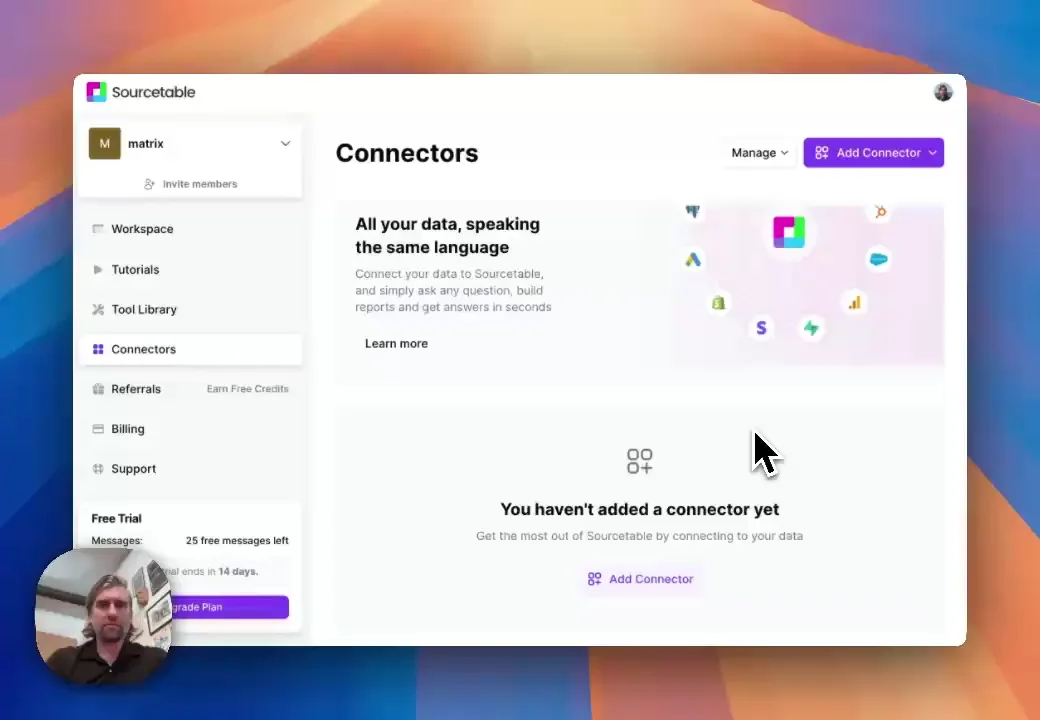
See how simple it is to connect...

...and analyze Supabase data.

I used to write complex SQL queries to query Supabase data. Now I ask questions in plain English and get results immediately.

— Data Engineer

Enterprise-grade Security

Your data is protected by industry-leading SOC 2 Type 2, HIPAA, and PCI compliance standards, whether in our cloud or on-premises.

Private User Keys

Private User Keys

Encrypted at REST

Encrypted at REST

Escrow KMS

Escrow KMS

Connectors

Connectors

Connect to any:

Database ⋆ API ⋆ MCP

Connectors

Recommended Connectors

Connect your most-used data sources and tools to Sourcetable for seamless analysis.

Frequently Asked Questions

If you question is not covered here, you can contact our team.

Contact Us
How do I connect Supabase to Sourcetable?
Connect your Supabase project to Sourcetable by clicking "Start connecting" and providing your Supabase credentials. Once connected, you can query your database tables, insert data, and analyze your Supabase data directly from your spreadsheet using natural language commands.
What can I do with the Supabase connector?
The Supabase connector lets you query database tables, insert and update rows, analyze data trends, create charts of user activity, track subscription metrics, and automate database workflows. You can query your Supabase data using plain English and sync data between your spreadsheet and database.
Can I insert data into Supabase from Sourcetable?
Yes! You can insert, update, and delete data in your Supabase database directly from Sourcetable. Simply ask Sourcetable to insert rows, or use spreadsheet data to bulk insert records. For example, "Insert all rows from this spreadsheet into my users table."
How do I analyze my Supabase database with AI?
Ask questions in plain English like "Query my users table and show me active subscriptions" or "Show me user signups over the past month." Sourcetable's AI will query your Supabase database, perform analysis, and create visualizations automatically.
What data sources does Sourcetable support?
We currently support a variety of data file formats including spreadsheets (.xls, .xlsx, .csv), tabular data (.tsv), JSON, and database data (MySQL, PostgreSQL, MongoDB). We also support application data like Supabase and most plain text data.
Can I generate data visualizations?
Yes! It's very easy to generate clean-looking data visualizations using Sourcetable. Simply prompt the AI to create a chart or graph. For Supabase data, you can create charts showing user growth trends, subscription distributions, database performance metrics, and more. All visualizations are downloadable and can be exported as interactive embeds.
What data science tools are available?
Sourcetable's AI analyzes and cleans data without you having to write code. Use Python, SQL, NumPy, Pandas, SciPy, Scikit-learn, StatsModels, Matplotlib, Plotly, and Seaborn to analyze your Supabase data and create insights.
Is this free?
Yes! Sourcetable's spreadsheet is free to use, just like Google Sheets. AI features have usage limits. Users can upgrade to the Pro plan for more credits.
Is there a discount for students, professors, or teachers?
Students and faculty receive a 50% discount on the Pro and Max plans. Email support@sourcetable.com to get your discount.
Is Sourcetable programmable?
Yes. Regular spreadsheet users have full A1 formula-style referencing at their disposal. Advanced users can make use of Sourcetable's SQL editor and GUI, or ask our AI to write Python code for you.
Sourcetable Logo
Sourcetable + Supabase

Turn your database into actionable insights.

Drop CSV