
The Best Jupyter Notebook Alternatives in 2026 (No Python Required)
Jupyter is great if you write Python. Most people don't. These are the best alternatives for analysts who need analysis power without the programming requirement.

Andrew Grosser
June 1, 2026 • 9 min read
Jupyter Notebooks are the gold standard for data science. But they require Python for everything — and most business analysts, financial professionals, and operations teams shouldn't need a computer science degree to analyze data. These alternatives offer Jupyter-level analytical power with radically lower barriers.
Quick Comparison
| Platform | Coding Required | Financial APIs | Learning Curve | Best For |
|---|---|---|---|---|
| Sourcetable ⭐ | Optional | 500+ built-in | Minimal | Business/financial analysts |
| Deepnote | Yes (Python) | None | Moderate | Data scientists |
| Observable | Yes (JS) | None | Steep | Visualization engineers |
| Hex | Yes (Python/SQL) | None | Moderate | Data science teams |
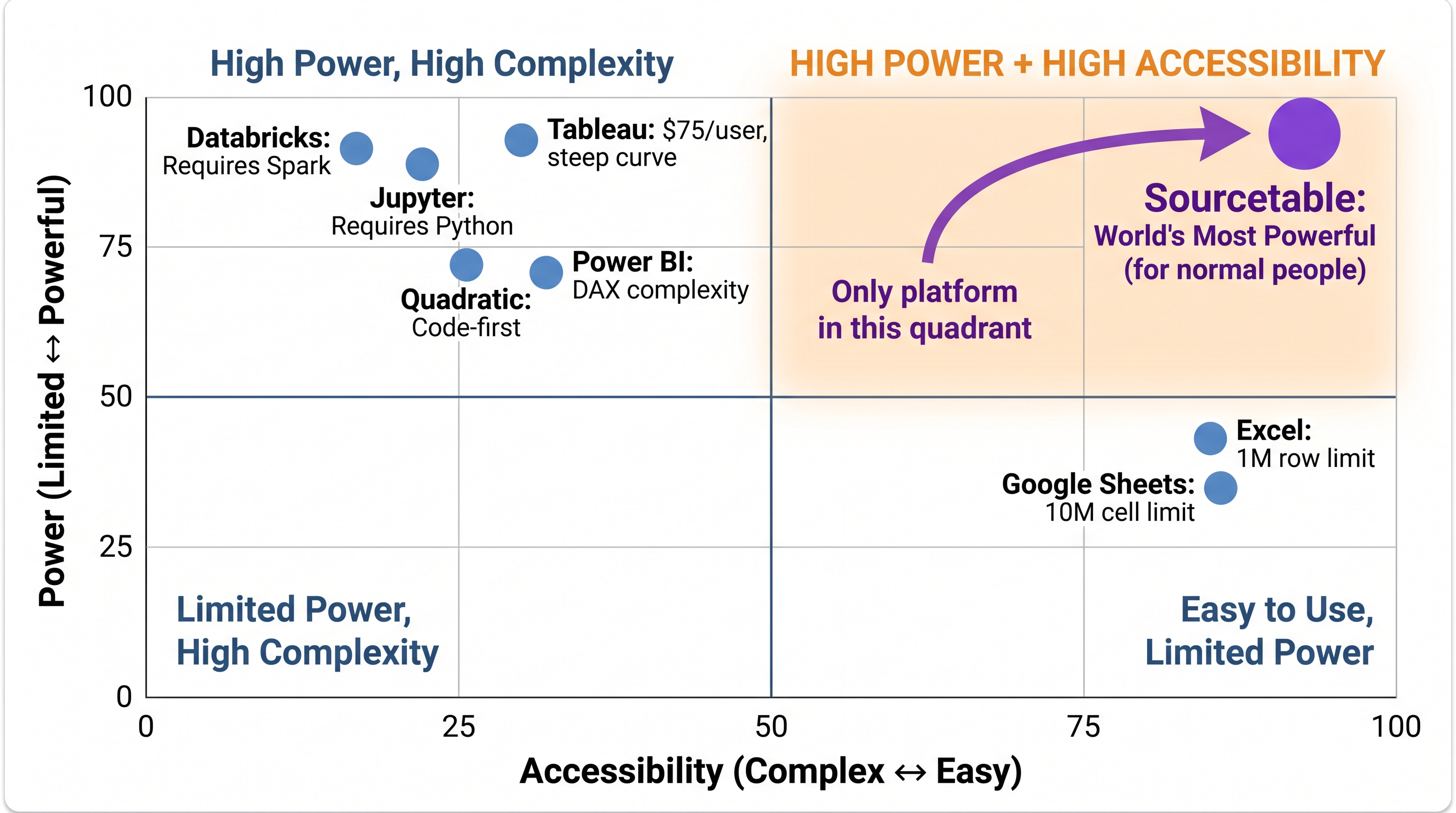
Sourcetable is the only analytical platform in the High Power + High Accessibility quadrant. Every competitor trades one for the other.
Why Analysts Struggle With Jupyter
Jupyter requires Python for every task. Pulling Bloomberg data requires writing API code. Running a Monte Carlo simulation means building it from scratch in NumPy. For data scientists, this is the point — full flexibility. For financial analysts and business users, it's a time tax. Every analysis task competes with the programming overhead.
#1 Sourcetable — Jupyter Power Without Python
Sourcetable offers everything Jupyter users love about Python-powered analysis — large datasets, financial calculations, statistical modeling, visualization — through a natural language AI interface. You describe the analysis; Sourcetable executes it. Python and R are available for advanced users but never required. And unlike Jupyter, it has 500+ financial APIs built-in.
For Data Scientists: Deepnote and Hex
If your team actually writes Python and needs notebook collaboration, Deepnote offers real-time collaborative notebooks with cloud compute. Hex provides notebook-based data apps with semantic governance. Both are excellent notebook platforms for technical teams.
When Jupyter Stays the Right Choice
Keep Jupyter if:
- ✅ Your team writes Python daily and values full flexibility
- ✅ You're doing ML research or academic work
- ✅ Free and open-source is a hard requirement
- ✅ You need access to the full Python/R/Julia ecosystem
Try the top Jupyter Notebook alternative — free
100% benchmark scores. 500+ financial APIs. Spreadsheet interface.
Start Free Trial →